Best Flutter Source Code for Live Streaming Apps
In today’s fast-paced digital world, live streaming apps have become a cornerstone for communication, entertainment, and business engagement. Whether you’re a startup looking to launch a platform quickly, a media company aiming to expand your digital presence, or a freelance developer exploring new projects, leveraging Flutter live streaming app source code can save you time and effort. Flutter’s cross-platform capabilities make it a preferred choice for building high-performance apps that work seamlessly on both iOS and Android devices.
In this blog, we will explore the best Flutter source code for live streaming, highlighting ready-made solutions that simplify development and accelerate your time-to-market.
Why Choose Flutter for Live Streaming Apps?
Flutter is Google’s open-source UI toolkit that allows developers to build natively compiled applications for mobile, web, and desktop from a single codebase. When it comes to live streaming apps, Flutter provides several advantages:
- Cross-platform compatibility – Write once, run on both Android and iOS.
- Rich UI components – Easily create interactive and visually appealing interfaces.
- Performance – Flutter’s rendering engine ensures smooth video playback.
- Community support – A large community of developers and frequent updates.
Using ready-made live streaming app Flutter templates can further simplify development by providing pre-built components and robust backend integration, making it ideal for both beginners and professionals.
Top Flutter Live Streaming App Templates
Here are some of the top templates to consider for building a live streaming app:
1. StoryBox Short Drama App
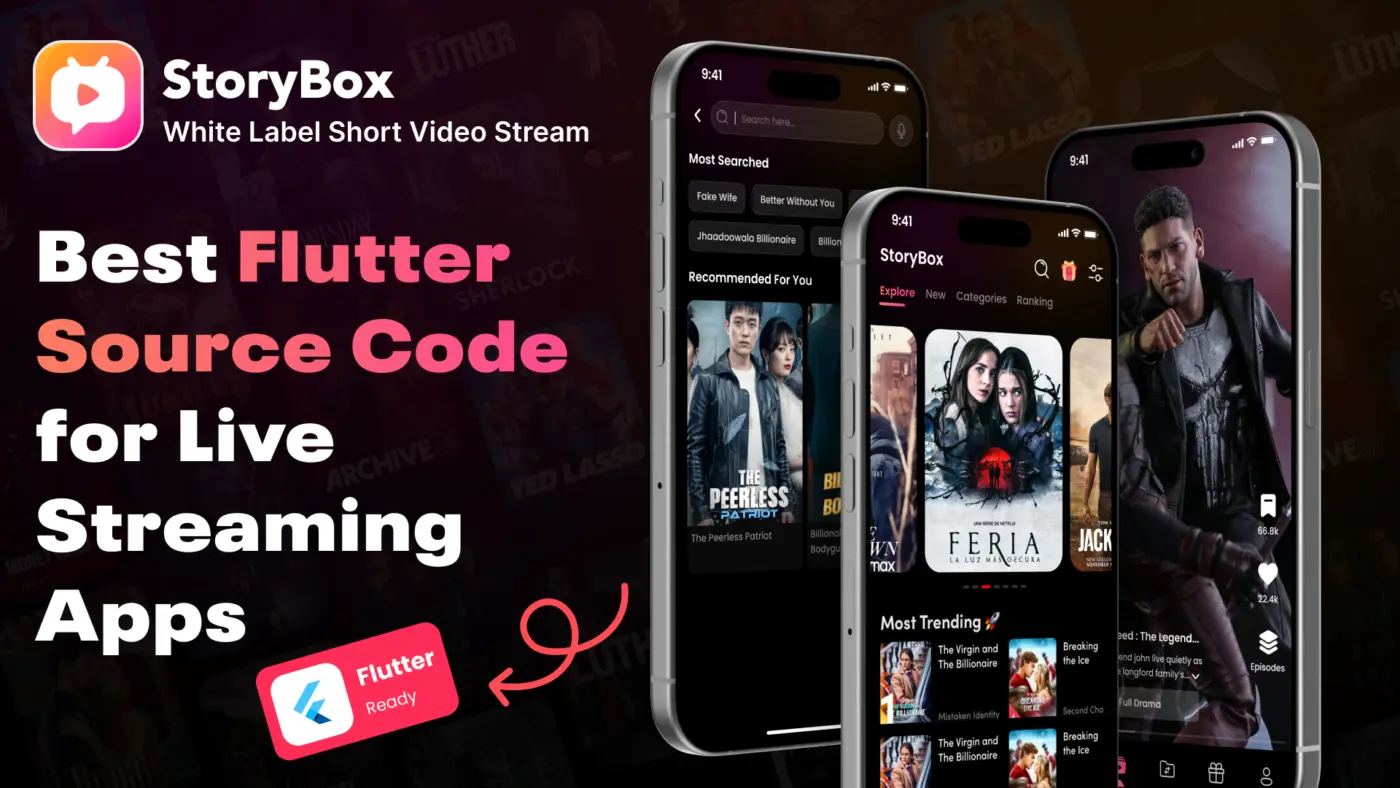
The StoryBox Short Drama App is a Flutter OTT app template that allows you to deliver short video content efficiently. Ideal for entertainment and media companies, it comes with pre-integrated features like user authentication, video streaming, and in-app purchases.
Key Features:
- Flutter video streaming app template for iOS & Android
- Low-cost Flutter live streaming solution
- Support for HLS streaming and RTMP protocols
- Interactive UI for enhanced user experience
You can explore this template here.
2. Live Stream & Video Call App Template
If you want to combine video call & live streaming Flutter functionality, this template is a great choice. It supports real-time communication, making it perfect for social apps, webinars, and online events.
Highlights:
- Real-time video calls
- Live streaming capabilities
- Flutter app clone source code available for customization
- iOS & Android Flutter streaming app support
3. RTMP / HLS Streaming Template
For developers seeking technical flexibility, Flutter RTMP / HLS streaming templates are essential. They allow you to implement live video broadcasting with minimal coding. These templates are especially useful for startups or media companies looking to launch quickly.
Benefits:
- Pre-integrated RTMP / HLS streaming
- Optimized for low-latency streaming
- Can be extended to create a Flutter OTT app template
- Easy integration with backend services
4. Multi-Genre Live Streaming App Template
Some apps require multi-category content delivery, like sports, entertainment, and education. A multi-genre live streaming Flutter template offers versatility while saving weeks of development time.
Features:
- Customizable UI for different content genres
- Support for Flutter live streaming app source code customization
- Monetization features like ads, subscriptions, or in-app purchases
- Pre-configured database and server integration
Benefits of Using Ready-Made Flutter Source Code
Using ready-made live streaming app Flutter solutions comes with multiple advantages:
- Faster Development – Launch your app in weeks instead of months.
- Reduced Cost – Save on hiring developers or building complex video streaming infrastructure.
- Scalability – Templates often come with optimized code that supports scaling as user numbers grow.
- Customization – Easily tweak UI/UX and features according to your brand or business requirements.
- Reliable Support – Many template providers offer documentation and customer support.
How to Customize a Flutter Live Streaming Template
- Set up the development environment – Install Flutter SDK and IDE tools.
- Download the template – Get a live streaming app source code from a trusted provider.
- Connect to backend services – Integrate Firebase, AWS, or any other preferred backend.
- Customize UI/UX – Change colors, branding, and layouts as per your business needs.
- Test thoroughly – Conduct live streaming, video call, and performance testing on both iOS & Android devices.
- Launch and maintain – Deploy to app stores and continuously monitor performance.
Using a well-coded Flutter template ensures you can focus more on growth strategies and user engagement rather than building features from scratch.
Conclusion
Choosing the best Flutter source code for live streaming can drastically reduce your app development time while providing a professional, scalable solution. Whether you are a freelance developer, startup, or media company, leveraging ready-made live streaming app Flutter templates ensures fast deployment, robust features, and cost efficiency.
For iOS & Android apps, templates supporting RTMP/HLS streaming, video calls, and OTT functionalities are ideal. With easy customization and pre-built functionality, these templates allow you to focus on growth and user engagement instead of reinventing the wheel.
For a practical example of a low-cost Flutter live streaming solution, check out this Flutter OTT app template.